
NIOS Bridge Course Lesson Plan Ready to Submit Online 2026 | 40 Lesson Plans PDF
NIOS Bridge Course Lesson Plan Ready to Submit Online 2026 – Download 40 Lesson Plans PDF | Course 7 Complete Guide
Are you searching for NIOS Bridge Course Lesson Plan Ready to Submit Online PDF? Are you confused about how to prepare 40 Lesson Plans, how to arrange the Course 7 Practicum File, and how to submit your work online through the NIOS Bridge Course Portal?
If yes, this complete guide will help you understand the entire process.
The NIOS Six-Month Certificate Course (Bridge) in Primary Teacher Education includes six theory courses and one practical course, Course 7 – School Experience.
Course 7 is one of the most important components of the NIOS Bridge Course. It carries 100 marks and requires teachers to complete lesson planning, actual classroom teaching, portfolio preparation, activities and workshop records, and a reflective journal.
Many teachers face difficulties preparing all 40 lesson plans in the correct format. They also have questions about handwritten or computer-typed lesson plans, PDF preparation, file arrangement, online submission and the documents required for Course 7.
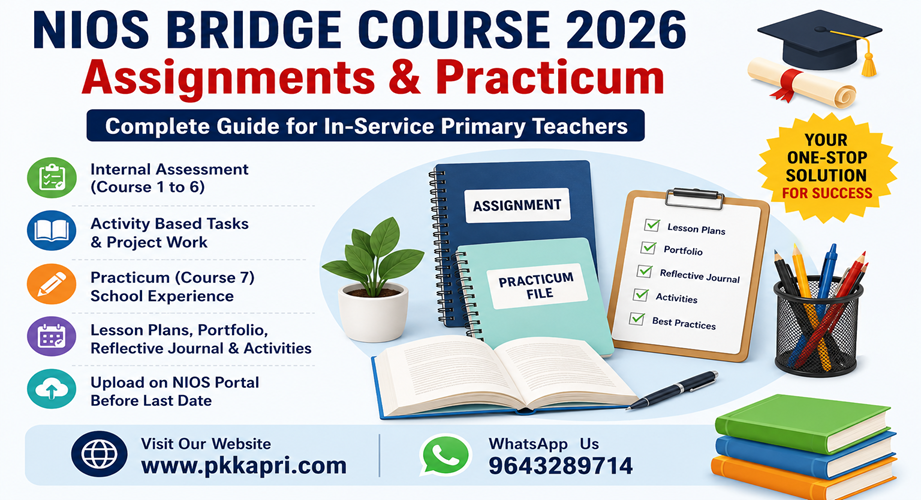
In this article, PK Kapri & Co. explains everything step by step.
In this complete guide, you will learn:
- How to prepare NIOS Bridge Course 40 Lesson Plans.
- What is the correct Course 7 Lesson Plan format?
- Which four subjects require lesson plans?
- How to prepare a professional and organized Practicum File.
- How to prepare Portfolio and Reflective Journal.
- How to scan handwritten lesson plans into PDF.
- How to prepare separate subject-wise PDF files.
- How to access the NIOS Teacher Dashboard.
- How to check the online submission option and upload your PDF when enabled.
- Where to get NIOS Bridge Course Lesson Plans Ready to Submit.
Let’s understand the complete process.
What Is NIOS Bridge Course Lesson Plan?
A NIOS Bridge Course Lesson Plan is a systematic teaching plan prepared by a teacher before conducting a classroom lesson.
It explains how a teacher will introduce a topic, explain concepts, involve students in learning activities, use teaching materials and evaluate students’ understanding.
A lesson plan helps teachers organize classroom teaching effectively and achieve specific learning outcomes.
For the NIOS Bridge Course, lesson planning is included under Course 7 – School Experience (Practicum).
The purpose is not simply to prepare written documents. Teachers are expected to plan and teach lessons in a real primary school classroom and maintain proper records of their teaching experiences.
A good lesson plan should demonstrate:
- Understanding of the topic.
- Knowledge of children’s previous learning.
- Clear learning objectives.
- Appropriate teaching methods.
- Effective Teaching Learning Materials (TLM).
- Student participation and classroom activities.
- Assessment and evaluation.
- Teacher reflection and improvement.
How Many Lesson Plans Are Required in NIOS Bridge Course Course 7?
According to the official NIOS Programme Guide, teachers are required to prepare and teach at least 40 lessons in a primary school.
These 40 lessons are divided into four subjects.
| Subject | Number of Lesson Plans |
|---|---|
| Language-I (Hindi/Regional Language) | 10 |
| Language-II (English/Other than Language-I) | 10 |
| Mathematics | 10 |
| The World Around Us (EVS) | 10 |
| Total | 40 |
Important Instructions
- Prepare 10 lessons for each subject.
- Maintain a separate file containing lesson plans for each subject.
- Actually teach the planned lessons in a primary school.
- Any five lessons in each of the four subjects will be assessed.
- Maintain proper records of your teaching activities.
- Take guidance and supervision from the concerned faculty or supervisor.
Therefore, preparing 40 lesson plans in the correct sequence is an important part of your Course 7 preparation.
NIOS Course 7 Assessment and Marks Distribution
Many teachers focus only on preparing lesson plans and forget the other important components of School Experience.
According to the official NIOS Programme Guide, Course 7 carries 100 marks.
The assessment structure is as follows:
| Course 7 Component | Marks |
|---|---|
| Planning and Teaching 40 Lessons | 40 |
| Portfolio (5 Best Practices) | 10 |
| Activities and Workshop Record | 25 |
| Reflective Journal | 25 |
| Total | 100 |
Why Is Course 7 Important?
Course 7 is a practical component that connects educational theory with real classroom teaching.
It helps teachers develop:
- Classroom management skills.
- Child-centred teaching practices.
- Activity-based learning techniques.
- Teaching and assessment skills.
- Understanding of children’s learning needs.
- Reflective teaching practices.
Remember: Lesson Plans are only one component of Course 7. Portfolio, Activities and Workshop Record, and Reflective Journal are also important.
Subject-Wise NIOS Bridge Course Lesson Plans
You need to prepare four different sets of lesson plans. Each subject has its own teaching objectives, classroom activities and learning outcomes.
A. Language-I Lesson Plans (Hindi/Regional Language)
Language-I focuses on developing children’s language skills.
Some suitable teaching topics include:
- वर्णमाला और अक्षर पहचान
- स्वर और व्यंजन
- शब्द निर्माण
- वाक्य निर्माण
- कहानी सुनना और सुनाना
- कविता पाठ
- चित्र देखकर वर्णन
- पठन कौशल
- लेखन कौशल
- मौखिक अभिव्यक्ति
Teaching Activities:
- Picture reading.
- Storytelling.
- Group discussion.
- Word games.
- Reading practice.
- Creative writing.
B. Language-II Lesson Plans (English)
Language-II focuses on developing basic English language skills.
Suggested topics:
- Alphabet Recognition
- Naming Words
- Action Words
- Use of A, An and The
- Simple Sentences
- Picture Reading
- Vocabulary Development
- Storytelling
- Rhymes and Poems
- Conversation Practice
Teaching Activities:
- Flashcard activities.
- Word identification.
- Reading practice.
- Role play.
- Picture description.
- Question-answer activities.
C. Mathematics Lesson Plans
Mathematics lesson plans should focus on developing foundational numeracy and logical thinking.
Suggested topics:
- Number Recognition
- Counting
- Addition
- Subtraction
- Multiplication Concepts
- Shapes
- Patterns
- Measurement
- Time
- Money
Teaching Activities:
- Number cards.
- Counting objects.
- Mathematics games.
- Shape identification.
- Group problem-solving.
- Real-life mathematical activities.
D. The World Around Us (EVS) Lesson Plans
The World Around Us helps children understand their surroundings, nature, society and everyday experiences.
Suggested topics:
- My Family
- My School
- Plants Around Us
- Animals Around Us
- Food and Nutrition
- Water
- Cleanliness and Hygiene
- Our Environment
- Transport
- Community Helpers
Teaching Activities:
- Observation activities.
- Nature walks.
- Picture discussions.
- Group projects.
- Drawing and colouring.
- Practical demonstrations.
Note: These are illustrative topic ideas. Select topics appropriate to the actual class, textbook, curriculum and learning level of your students.
What Is the Correct NIOS Bridge Course Lesson Plan Format?
A properly organized lesson plan should contain the following sections.
1. Basic Information
Write the basic details of the lesson:
- Name of the Teacher
- Enrollment Number, if required
- Name of the School
- Class
- Subject
- Topic
- Date
- Duration
- Number of Students
2. Learning Objectives
Explain what students are expected to learn after completing the lesson.
Example:
After completing the lesson, students will be able to:
- Understand the basic concept of the topic.
- Identify important information.
- Explain the concept in their own words.
- Participate in classroom activities.
- Apply their knowledge in everyday situations.
3. Previous Knowledge
Write what students already know about the topic.
Example:
If the topic is Plants:
- Have you seen plants around your house?
- What do plants need to grow?
- Can you name some plants?
- Which parts of a plant can you identify?
4. Teaching Learning Materials (TLM)
Mention the materials required for teaching.
Examples:
- Blackboard
- Charts
- Flashcards
- Pictures
- Worksheets
- Models
- Number Cards
- Real Objects
- Videos
- Activity Materials
5. Teaching Method
Mention the teaching methods you will use.
Examples:
- Activity-Based Learning
- Demonstration Method
- Discussion Method
- Storytelling Method
- Play-Way Method
- Experiential Learning
- Group Learning
6. Introduction
Explain how you will introduce the topic and create interest among students.
You can use questions, pictures, stories, games or real objects.
7. Presentation and Teaching-Learning Process
Explain the teaching process step by step.
| Teaching Points | Teacher’s Activities | Students’ Activities |
|---|---|---|
| Introduction | Ask introductory questions | Answer questions |
| Explanation | Explain the topic | Listen and understand |
| Demonstration | Show charts or models | Observe |
| Activity | Organize group activities | Participate |
| Discussion | Ask questions | Share ideas |
| Recapitulation | Revise key points | Recall learning |
8. Assessment and Evaluation
Prepare questions and activities to evaluate students’ learning.
Example:
- What did you learn today?
- Explain the main concept.
- Give two examples.
- Complete the worksheet.
- Participate in the group activity.
9. Homework / Follow-up Activity
Give an appropriate activity for students to complete after the lesson.
10. Teacher’s Reflection
Write a genuine reflection on the lesson.
Consider:
- Did students understand the topic?
- Which teaching method was most effective?
- Were all students involved?
- What difficulties did students face?
- What improvements can be made next time?
How to Prepare NIOS Bridge Course Lesson Plan File?
After completing the lesson plans, arrange them in a systematic manner.
We recommend preparing four separate subject-wise files, as required by the Programme Guide.
Suggested File Arrangement
File 1 – Language-I
- Cover Page
- Index
- Lesson Plan 1
- Lesson Plan 2
- Lesson Plan 3
- Lesson Plan 4
- Lesson Plan 5
- Lesson Plan 6
- Lesson Plan 7
- Lesson Plan 8
- Lesson Plan 9
- Lesson Plan 10
File 2 – Language-II (English)
- Cover Page
- Index
- 10 English Lesson Plans
File 3 – Mathematics
- Cover Page
- Index
- 10 Mathematics Lesson Plans
File 4 – The World Around Us
- Cover Page
- Index
- 10 EVS Lesson Plans
Each lesson plan should be complete and properly arranged.
Use clear headings, page numbers, appropriate tables and consistent formatting.
How to Prepare NIOS Bridge Course Lesson Plan PDF Online?
This is one of the most important steps for teachers who want to prepare their files for online submission.
If you have handwritten lesson plans, you can convert them into digital PDF documents using a smartphone or computer.
Follow these steps.
Step 1: Complete All 40 Lesson Plans
First, prepare all 40 lesson plans according to the four subjects.
Check that every lesson plan contains the necessary information.
Step 2: Arrange the Pages
Arrange the pages in the correct order.
Make sure:
- Cover page comes first.
- Index is properly prepared.
- Lesson plans are in serial order.
- No page is missing.
- No page is duplicated.
- All text is readable.
Step 3: Scan Handwritten Lesson Plans
You can use a mobile scanning application to scan your handwritten lesson plans.
Popular options include:
- Adobe Scan
- Microsoft Lens, where available
- Google Drive Scan, where available
- Other trusted PDF scanner applications
While scanning:
- Keep the page flat.
- Use proper lighting.
- Avoid shadows.
- Keep all four corners visible.
- Check that handwriting is readable.
- Scan every page in the correct sequence.
Step 4: Convert Images into PDF
After scanning, save the pages as PDF files.
Avoid saving every page as an individual image if the required submission is a single PDF document.
Step 5: Prepare Separate Subject-Wise PDF Files
Use a clear file naming system.
Suggested PDF names:
NIOS_Course7_Language1_LessonPlans.pdfNIOS_Course7_Language2_LessonPlans.pdfNIOS_Course7_Mathematics_LessonPlans.pdfNIOS_Course7_World_Around_Us_LessonPlans.pdf
You can also prepare separate PDF documents for:
- Portfolio
- Activities and Workshop Record
- Reflective Journal
Important: These are suggested file names, not official NIOS file-naming rules. Follow the actual portal’s file format, size and document instructions.
Step 6: Check PDF Quality
Before uploading, open every PDF and check:
- All pages are visible.
- No page is upside down.
- No text is cut off.
- Handwriting is readable.
- Page order is correct.
- The file opens without errors.
- File size meets the portal’s stated limit.
A clear, properly arranged PDF makes your work easier to review.
How to Submit NIOS Bridge Course Lesson Plan Online?
Teachers often search for the NIOS Bridge Course Lesson Plan Online Submission process.
First, understand an important difference:
The official Programme Guide explicitly states that Course 1–6 assignments and project work are uploaded through the respective Teacher Dashboard.
For Course 7, the Programme Guide describes School Experience assessment, lesson plans, portfolios, activities and journals, with assessment monitored by the nearest DIET or the designated authority.
It is therefore important not to assume that the Course 7 lesson-plan upload uses the same menu or process as Course 1–6 assignments.
Follow these steps to check the official submission facility.
Step 1: Visit the Official NIOS Bridge Course Website
Open:
This is the official NIOS Bridge Course portal.
Step 2: Open Teacher Login
Click on the Teacher Login option.
Enter your registered login credentials.
Use your own registered account and do not share your password with anyone.
Step 3: Open Your Teacher Dashboard
After successful login, check your dashboard for:
- Course Information
- Assignment
- Internal Assessment
- Project Work
- School Experience
- Practicum
- Submission Instructions
- Important Notifications
The exact menu names and available facilities may depend on the current portal configuration.
Step 4: Check the Course 7 Submission Instructions
Look for any notification or option specifically related to:
Course 7 – School Experience / Practicum.
Read the instructions carefully.
Confirm:
- Which documents are required?
- Whether lesson plans must be uploaded online?
- Whether subject-wise PDF files are required?
- Whether Portfolio and Reflective Journal must be submitted separately?
- What is the last date?
- What is the permitted file size and format?
Step 5: Upload the PDF If the Course 7 Upload Facility Is Activated
If the official portal provides an active Course 7 upload option:
- Select the correct Course 7 submission category.
- Select the relevant document or subject.
- Choose the prepared PDF from your computer or mobile.
- Check that you have selected the correct file.
- Click the Upload or Submit option.
- Wait for the portal’s response.
- Check the submission status.
Do not upload a document under the wrong course or category.
Step 6: Save the Submission Confirmation
After successful submission:
- Check the submission status.
- Save the confirmation or receipt if generated.
- Take a screenshot for your records.
- Note the submission date and time.
- Keep a backup of all submitted PDFs.
Very Important: If Course 7 upload is not available in your dashboard, do not upload lesson plans under an unrelated Course 1–6 assignment section. Contact your DIET, designated supervisor or NIOS support and follow the official instructions for Course 7 record submission and assessment.
Official NIOS Contact Information
Website: https://bridge.nios.ac.in/
Email: bridgesupport@nios.ac.in
Phone: 9217176201 / 9217176202
Working Hours: Monday to Friday, 9:00 AM to 5:30 PM.
NIOS Course 7 Portfolio – How to Prepare?
Apart from 40 Lesson Plans, teachers must prepare a Portfolio.
According to the NIOS Programme Guide, the Portfolio carries 10 marks and should showcase five of the teacher’s best practices.
A Portfolio can include:
- Teacher Profile.
- Professional Journey.
- Classroom Activities.
- Teaching-Learning Resources.
- Worksheets developed by the teacher.
- Samples of students’ work.
- Photographs of classroom activities, where appropriate and permitted.
- Learning materials and teaching resources.
- Examples of innovative teaching practices.
How to Make a Good Portfolio?
Select five meaningful examples of your best teaching practices.
For each example, explain:
- What activity was conducted?
- Why was the activity selected?
- How were students involved?
- What materials were used?
- What did students learn?
- What did you learn as a teacher?
A Portfolio should demonstrate actual teaching practices rather than simply contain decorative pages.
NIOS Bridge Course Activities and Workshop Record
The Activities and Workshop Record carries 25 marks.
The Programme Guide specifies five mandatory activities from the listed activity options.
These activities relate to:
- Visual Arts
- Performing Arts
- Health and Physical Education
- Physical Fitness
- Children’s Play and Learning Materials
- Art and Craft
- Yoga
- Music and Well-being
For every selected activity, maintain a record explaining:
- Name of the activity.
- Objectives.
- Materials required.
- Planning and preparation.
- Procedure.
- Student participation.
- Learning outcomes.
- Teacher’s experience and reflection.
Follow the exact task descriptions in the current NIOS Programme Guide.
NIOS Bridge Course Reflective Journal
Reflective Journal is another important component of Course 7 and carries 25 marks.
According to the Programme Guide, teachers must prepare:
- One journal entry every day for 20 days – 20 marks.
- One overall summary report – 5 marks.
What Should You Write in a Reflective Journal?
Each daily entry should describe your actual teaching experience.
Suggested structure:
Date:
School Name:
Class:
Activities Conducted:
What Happened Today?
Describe the classroom activities and teaching experiences.
What Did I Learn?
Explain what you learned about children’s behaviour, learning and classroom management.
Challenges Faced:
Mention any difficulties encountered during teaching.
How Did I Improve?
Explain what changes you made or would make in future lessons.
Conclusion:
Summarize your experience.
A good Reflective Journal should include meaningful analysis, not just a daily list of activities.
Common Mistakes to Avoid Before NIOS Online Submission
Many teachers make avoidable mistakes while preparing their Course 7 files.
Avoid the following:
- Preparing fewer than 40 lesson plans.
- Missing one of the four subjects.
- Preparing only one combined file when separate subject files are required.
- Not maintaining an index.
- Missing lesson dates or basic information.
- Using activities unrelated to the learning objectives.
- Not including student participation.
- Missing evaluation questions.
- Writing unrealistic or copied teacher reflections.
- Scanning pages with poor image quality.
- Uploading the wrong PDF.
- Ignoring official file-size instructions.
- Not checking the final submission status.
- Waiting until the last day to prepare documents.
- Assuming that Course 7 submission follows the Course 1–6 upload process.
NIOS Bridge Course Lesson Plan Ready to Submit PDF – Get Study Material from PK Kapri & Co.
Preparing 40 lesson plans, four subject-wise files, Portfolio, Activities and Workshop Record, and Reflective Journal can take considerable time.
If you are looking for organized NIOS Bridge Course study material and support for Course 7 preparation, PK Kapri & Co. can help.
We provide NIOS Bridge Course study material and practicum-related resources to help teachers organize their preparation.
What Can You Get from PKKapri.com?
- NIOS Bridge Course 40 Lesson Plans.
- Language-I Lesson Plans.
- Language-II English Lesson Plans.
- Mathematics Lesson Plans.
- The World Around Us Lesson Plans.
- Course 7 Practicum Support.
- Portfolio Preparation Material.
- Reflective Journal Support.
- Activities and Workshop Record Material.
- Subject-wise PDF Study Material.
Why Choose PK Kapri & Co.?
1. Subject-Wise Organized Material
Lesson plans and supporting resources are arranged by subject for convenient preparation.
2. Easy-to-Understand Format
Organized content helps teachers understand the lesson structure and teaching process.
3. Convenient PDF Format
Access available study resources digitally.
4. Time-Saving Preparation Support
Use organized reference material to reduce the time spent arranging the basic structure of your files.
5. Support for NIOS Bridge Course Teachers
Find relevant study material and practicum support in one place.
Get NIOS Bridge Course Lesson Plans Today
Visit our website:
WhatsApp Support: 9643289714
Contact PK Kapri & Co. for the availability of Course 7 Lesson Plans and other Bridge Course study material.
Prepare your NIOS Bridge Course files with better planning, proper organization and confidence.
Frequently Asked Questions (FAQs) – NIOS Bridge Course Lesson Plan Online
Q1. NIOS Bridge Course में कितने Lesson Plans बनाने होते हैं?
NIOS Bridge Course के Course 7 में कुल 40 Lesson Plans तैयार करने और पढ़ाने होते हैं। चार Subjects में 10-10 Lesson Plans बनाए जाते हैं।
Q2. NIOS Bridge Course के चार Subjects कौन-कौन से हैं?
चार Subjects हैं:
- Language-I (Hindi/Regional Language)
- Language-II (English/Other than Language-I)
- Mathematics
- The World Around Us (EVS)
Q3. NIOS Bridge Course Lesson Plan Online कैसे Submit करें?
सबसे पहले NIOS Bridge Course Portal पर Teacher Login करें। Dashboard में Course 7 या School Experience से संबंधित नवीनतम निर्देश देखें। यदि Course 7 के लिए Upload विकल्प उपलब्ध है, तो निर्देशों के अनुसार PDF अपलोड करें। यदि विकल्प उपलब्ध नहीं है, तो DIET या निर्धारित अधिकारी से submission process की पुष्टि करें।
Q4. क्या NIOS Bridge Course Lesson Plan PDF में तैयार कर सकते हैं?
हां, आप अपने Lesson Plans को डिजिटल PDF के रूप में तैयार कर सकते हैं। यदि हस्तलिखित Lesson Plans हैं, तो उन्हें स्कैन करके PDF में बदल सकते हैं। अंतिम Format और Upload Requirements के लिए NIOS के निर्देशों का पालन करें।
Q5. क्या NIOS Bridge Course Lesson Plan Handwritten होना चाहिए या Typed?
Handwritten या Computer-Typed Format के बारे में वही निर्देश मानें जो आपके वर्तमान NIOS Programme Guide, Course 7 instructions और संबंधित DIET द्वारा दिए गए हों। बिना आधिकारिक निर्देश के किसी एक Format को अनिवार्य न मानें।
Q6. क्या सभी 40 Lesson Plans एक ही PDF में अपलोड करने होंगे?
NIOS Programme Guide के अनुसार चारों Subjects के Lesson Plans के लिए अलग-अलग Files बनाए रखना आवश्यक है। ऑनलाइन अपलोड के लिए अलग PDF चाहिए या कोई दूसरा Format, यह Dashboard के वर्तमान निर्देशों से तय करें।
Q7. Course 7 में Lesson Plans कितने Marks के होते हैं?
40 Lesson Plans की Planning and Teaching के लिए कुल 40 Marks निर्धारित हैं। प्रत्येक Subject के लिए 10 Marks हैं। प्रत्येक Subject के 10 Lessons में से कोई 5 Lessons Assess किए जाते हैं।
Q8. NIOS Bridge Course Course 7 कितने Marks का होता है?
Course 7 – School Experience कुल 100 Marks का होता है।
- Planning and Teaching Lessons: 40 Marks
- Portfolio: 10 Marks
- Activities and Workshop Record: 25 Marks
- Reflective Journal: 25 Marks
Q9. क्या Course 7 के लिए अलग-अलग Subject Files बनानी होती हैं?
हां। Programme Guide के अनुसार Language-I, Language-II, Mathematics और The World Around Us के Lesson Plans के लिए अलग-अलग Files बनाए रखनी होती हैं।
Q10. NIOS Bridge Course Reflective Journal कितने दिनों का बनाना होता है?
NIOS Programme Guide के अनुसार 20 दिनों के लिए प्रतिदिन एक Reflective Journal Entry और एक Overall Summary Report तैयार करनी होती है।
Q11. NIOS Bridge Course Portfolio में क्या-क्या लिखना होता है?
Portfolio में शिक्षक की पांच Best Practices को प्रदर्शित करने वाले कार्यों के नमूने शामिल किए जाते हैं। इसमें Teacher Profile, Classroom Activities, Worksheets, Student Work Samples, Learning Resources और Professional Journey शामिल हो सकते हैं।
Q12. क्या मोबाइल से NIOS Bridge Course Lesson Plan PDF बना सकते हैं?
हां। आप मोबाइल से स्कैनिंग एप्लिकेशन की सहायता से Handwritten Lesson Plans को PDF में बदल सकते हैं। PDF की Quality और File Size को Upload Instructions के अनुसार जांचें।
Q13. NIOS Bridge Course Lesson Plan Upload की Last Date कहां Check करें?
अपने Teacher Dashboard, NIOS Bridge Course की Official Website और नवीनतम Academic Calendar/Notifications में Submission Dates चेक करें।
Official Website: https://bridge.nios.ac.in/
Q14. NIOS Bridge Course के लिए 40 Lesson Plans PDF कहां से प्राप्त करें?
आप PK Kapri & Co. की वेबसाइट पर NIOS Bridge Course Lesson Plans और Practicum Study Material की उपलब्धता चेक कर सकते हैं।
Website: www.pkkapri.com
WhatsApp: 9643289714
Q15. क्या केवल 40 Lesson Plans जमा करने से Course 7 पूरा हो जाता है?
नहीं। Course 7 में Lesson Planning और Teaching के अतिरिक्त Portfolio, पांच Mandatory Activities का Record तथा Reflective Journal भी शामिल हैं। निर्धारित School Experience और Attendance की शर्तें भी पूरी करनी होती हैं।
Conclusion – Prepare Your NIOS Bridge Course Lesson Plan Ready to Submit Online
NIOS Bridge Course का Course 7 प्रत्येक शिक्षक के लिए एक महत्वपूर्ण Practical Learning Experience है।
इसमें आपको केवल 40 Lesson Plans तैयार नहीं करने हैं, बल्कि वास्तविक Classroom Teaching, Portfolio, Activities and Workshop Record तथा Reflective Journal भी व्यवस्थित तरीके से तैयार करना है।
यदि आप अपने Lesson Plans को Online Submission के लिए तैयार करना चाहते हैं, तो सबसे पहले चारों Subjects की Files व्यवस्थित करें, सभी Pages को अच्छी Quality में Scan करें और PDF बनाकर सुरक्षित रखें।
इसके बाद NIOS Teacher Dashboard और संबंधित DIET के निर्देशों के अनुसार Submission प्रक्रिया पूरी करें।
Need NIOS Bridge Course Lesson Plans, Practicum Material and Study Support?
Visit: www.pkkapri.com
WhatsApp: 9643289714
PK Kapri & Co. – Your Study Material and Assignment Support Partner.